
How to create a Binance API key
Creating a Binance API key is the first step to connecting your exchange account with Robi Trade. This guide will walk you through the process of generating your API key securely, so Robi Trade can trade on your behalf while keeping your funds safe.

Pay attention:
The API key management is not supported by the Binance mobile app or by the mobile version of the Binance website.
<iframe width="100%" height="480" allowfullscreen="true" autoplay="false" cclanguage="en" ccloadpolicy="true" disablekbcontrols="false" enableiframeapi="false" endtime="0" interfacelanguage="en" ivloadpolicy="0" loop="false" modestbranding="true" origin="" playlist="" progressbarcolor="white" rel="1" src="https://www.youtube-nocookie.com/embed/LOoelIN6E9s?cc_lang_pref=en&cc_load_policy=1&hl=en&modestbranding=1&color=white&rel=1" start="0"></iframe>
Please use the desktop version of the website to proceed.
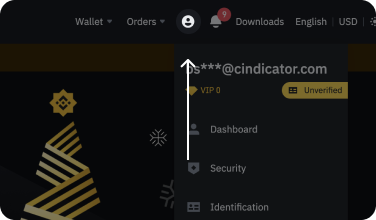
1. Open the Binance website and log in using your credentials. Tap on the profile tab in the top right corner of the screen:
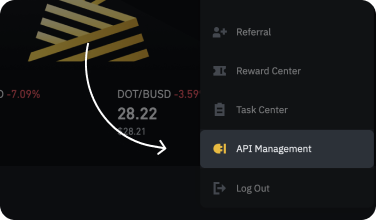
2. Tap on the "API Management" button:
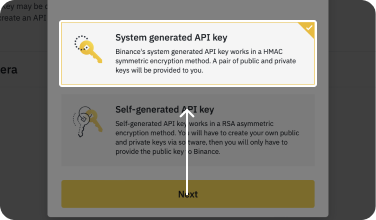
3. Select the "System Generated" option and hit the "Next" button:
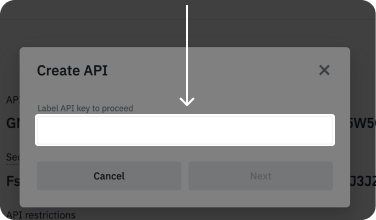
4. You will be asked to give the API key a label.
We suggest giving it a name that will help you immediately recognize this API key e.g. "Robi Trader API key".
5. You will need to confirm creating the API via inputting codes Binance sends to ensure the action.
6. You should save the Secret Key somewhere safe.
Pay attention: The Secret key is displayed only once after the API was created and can't be restored. If you lose this key, you will need to delete this API and set up a new one. Robi Trader needs the Secret key to be visible to connect.
7. Tap on the "Edit restrictions" button:
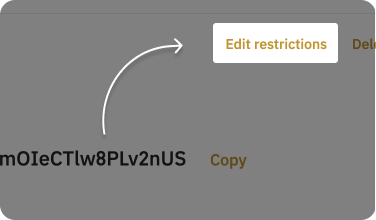
8. Select the "Enable Futures" and "Enable Spot & Margin Trading" option and tap on the "Save" button:
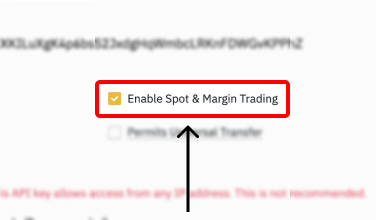
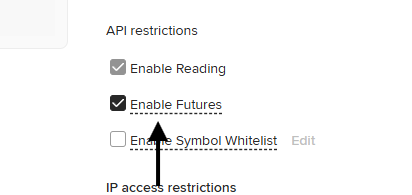
9. Remember that it's necessary to use the "Restricted access to trusted IPs only". Under ‘IP access restrictions’, select ‘Restrict access to trusted IPs only (Recommended)’ and copy your IPs from the Robi Trader:
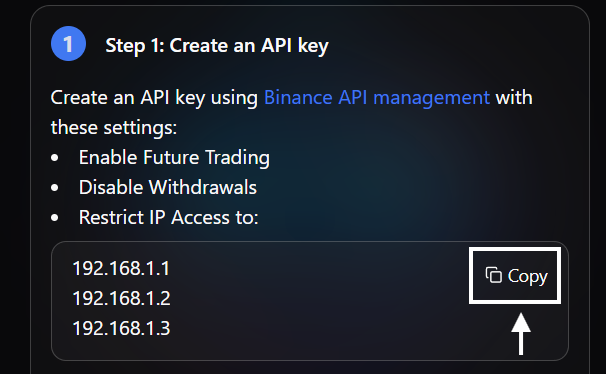
10. Now paste Robi’s list of IP addresses that will be shown in the app, separating them with spaces:
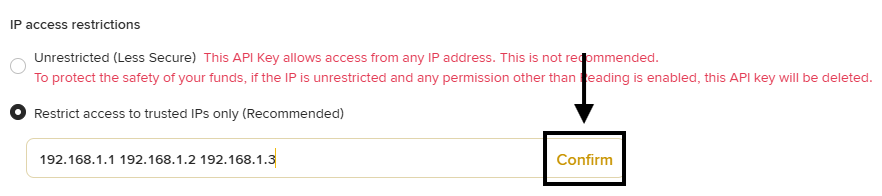
PLEASE NOTE: The IP addresses on the screenshot is an example, your individual IP addresses can be found inside the Robi Trader.
11. Please use the API key to connect Robi to your Binance account, Secret key should be visible.
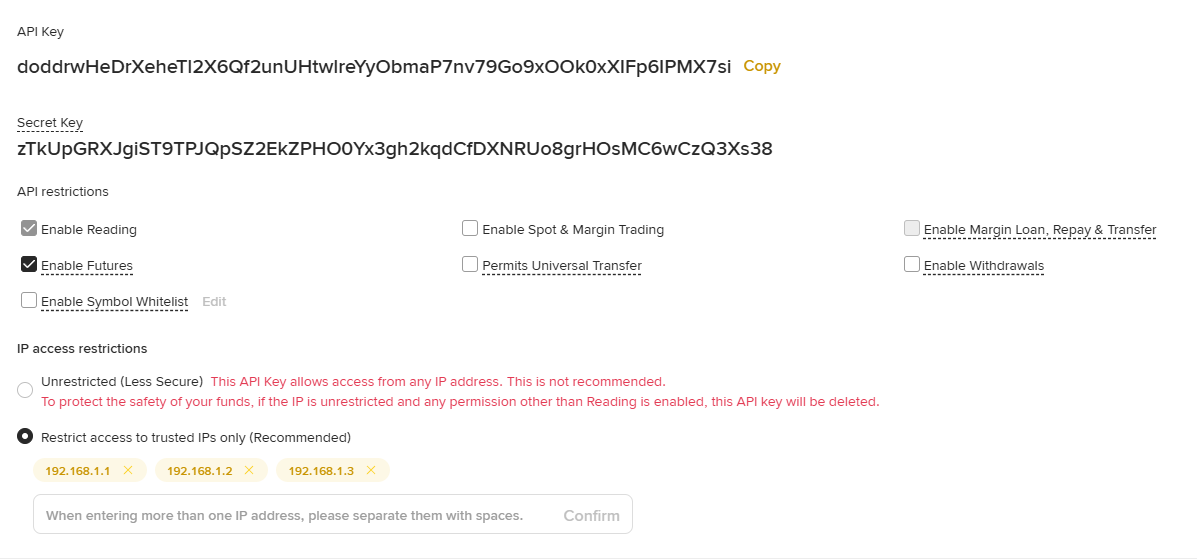
❕Your API key is stored in the encrypted storage and the only access that we ask you to provide us is access to create orders on your Binance account – we don't have the right to withdraw funds, thus you are always the only person in control of your funds.
12. That's it your API keys are created, hit the "Save" button, and scan the QR via Robi Trader.