
Step-by-Step Guide to Register and Activate Your Account on RobiTrader
Registering on RobiTrader is a simple and user-friendly process designed to help new users get started quickly. The platform guides you through a few essential steps—from creating your account to activating your subscription—so you can begin using the trading tools without confusion.
1. Start the Registration

Go to the Sign Up page on the RobiTrader.com website.
⚠️ Important: Make sure you are clicking on the correct and official link.
Avoid links shared by unknown sources, random messages, or unofficial channels, as fake websites can steal your information.
Always double-check the website address before entering your details.
2. Enter Your Email and Password
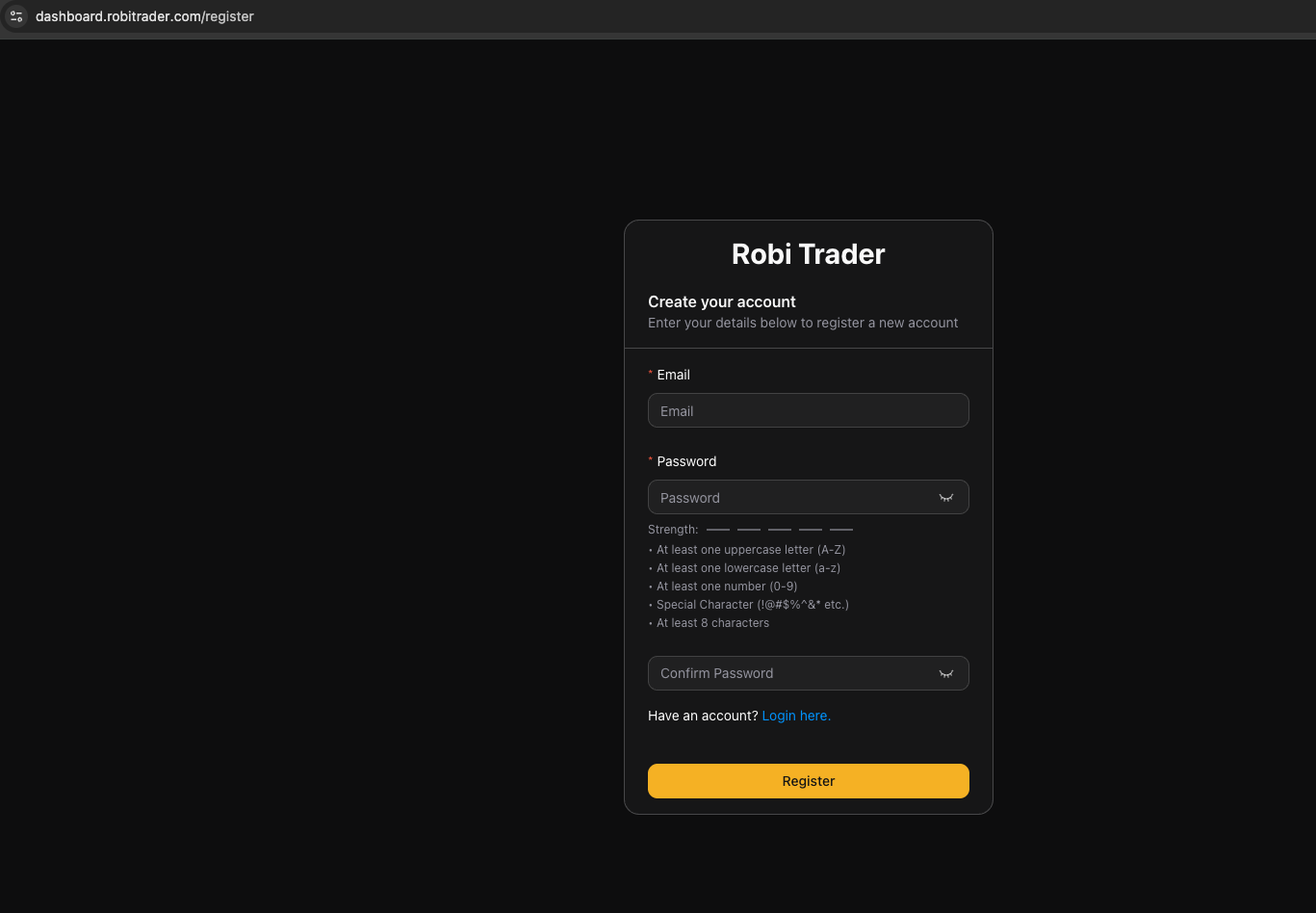
Fill in your email address and create a secure password.
Click Register to proceed.
3. Verify Your Email
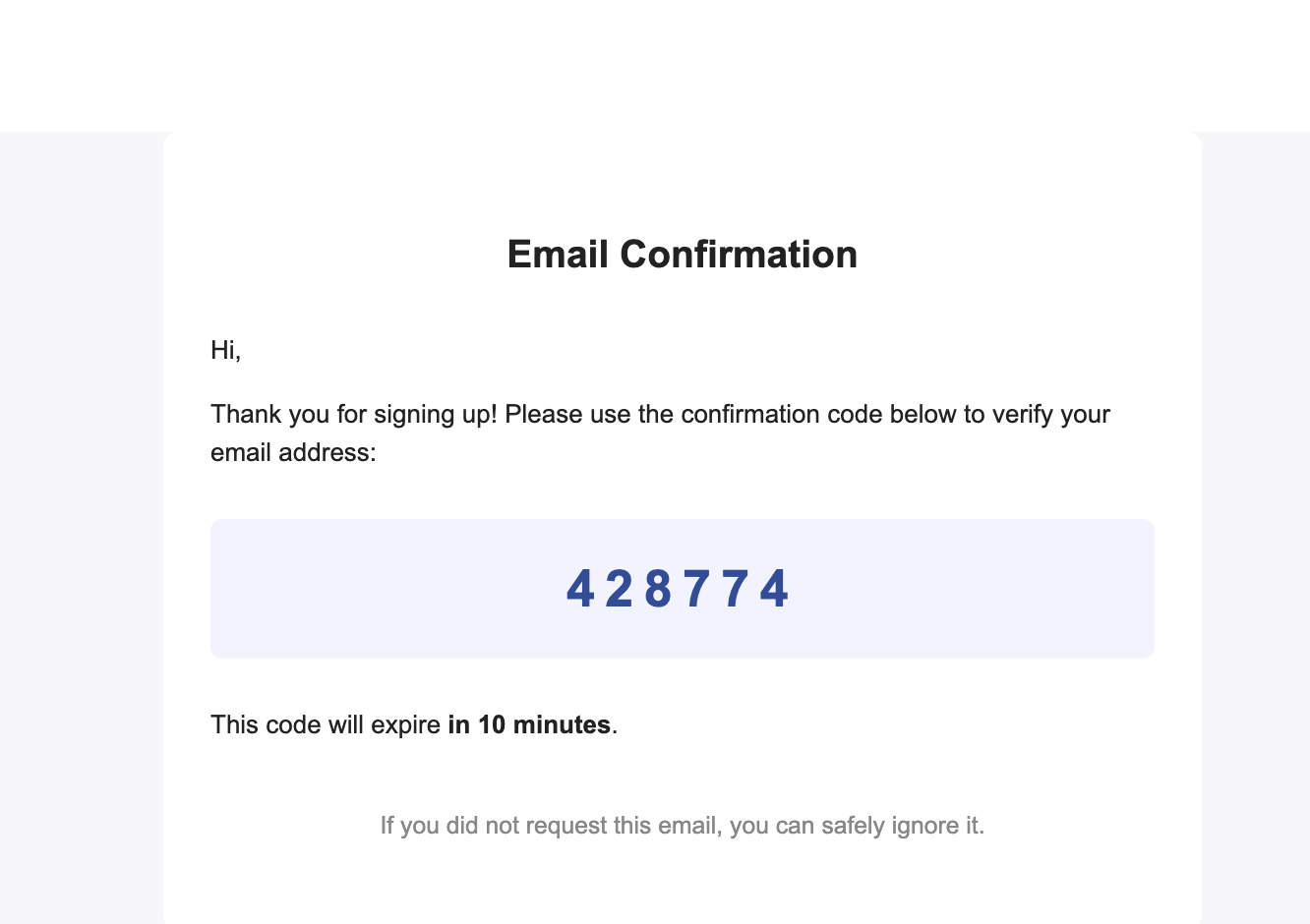
A verification code will be sent to your email.
Open your inbox, copy the code, and enter it in the verification field on the website.
4. Review and Accept the Terms
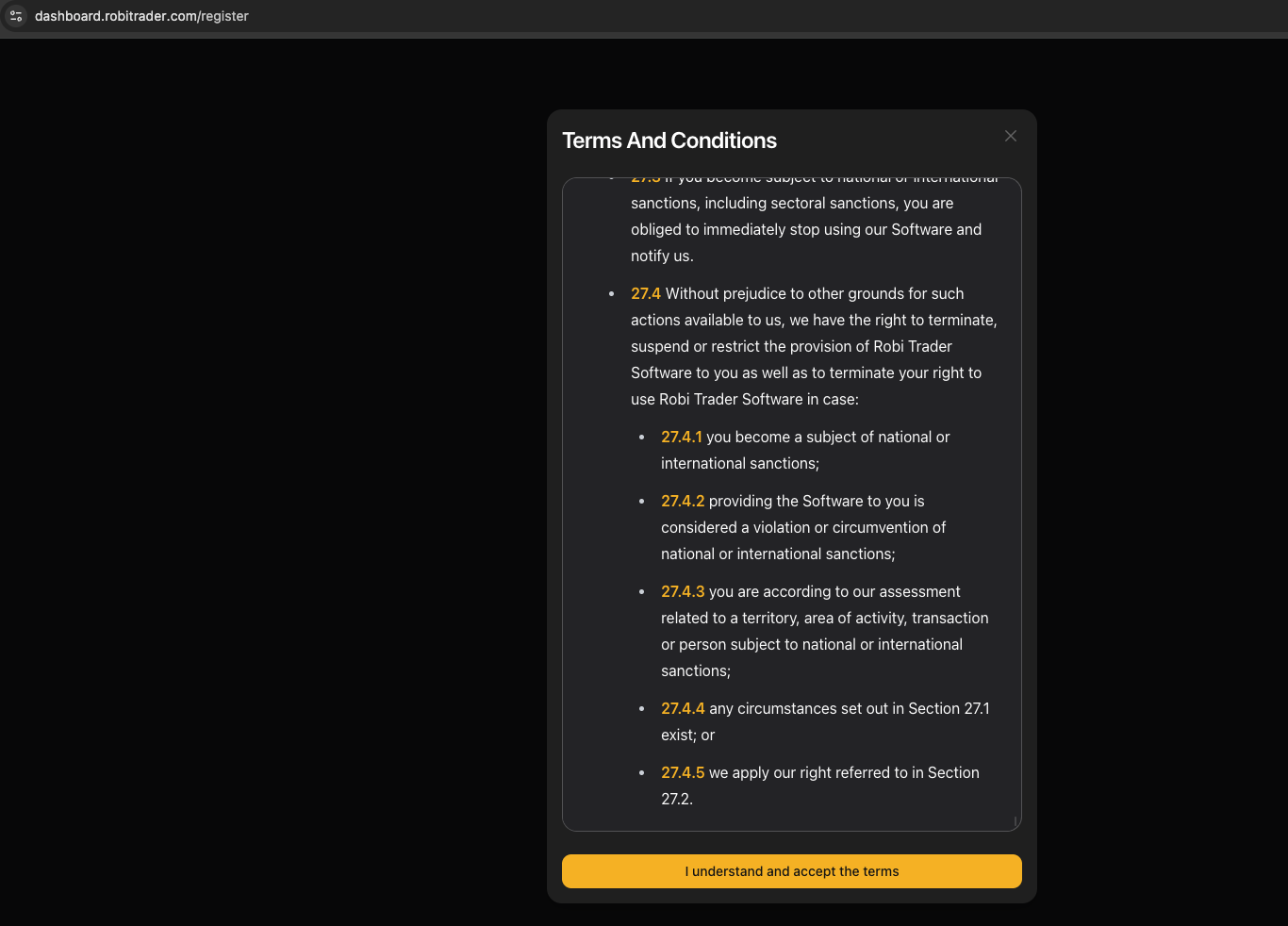
After verifying your email, you will be directed to the Terms & Conditions page.
Read the rules carefully and click Accept to continue.
5. Choose Your Subscription Plan
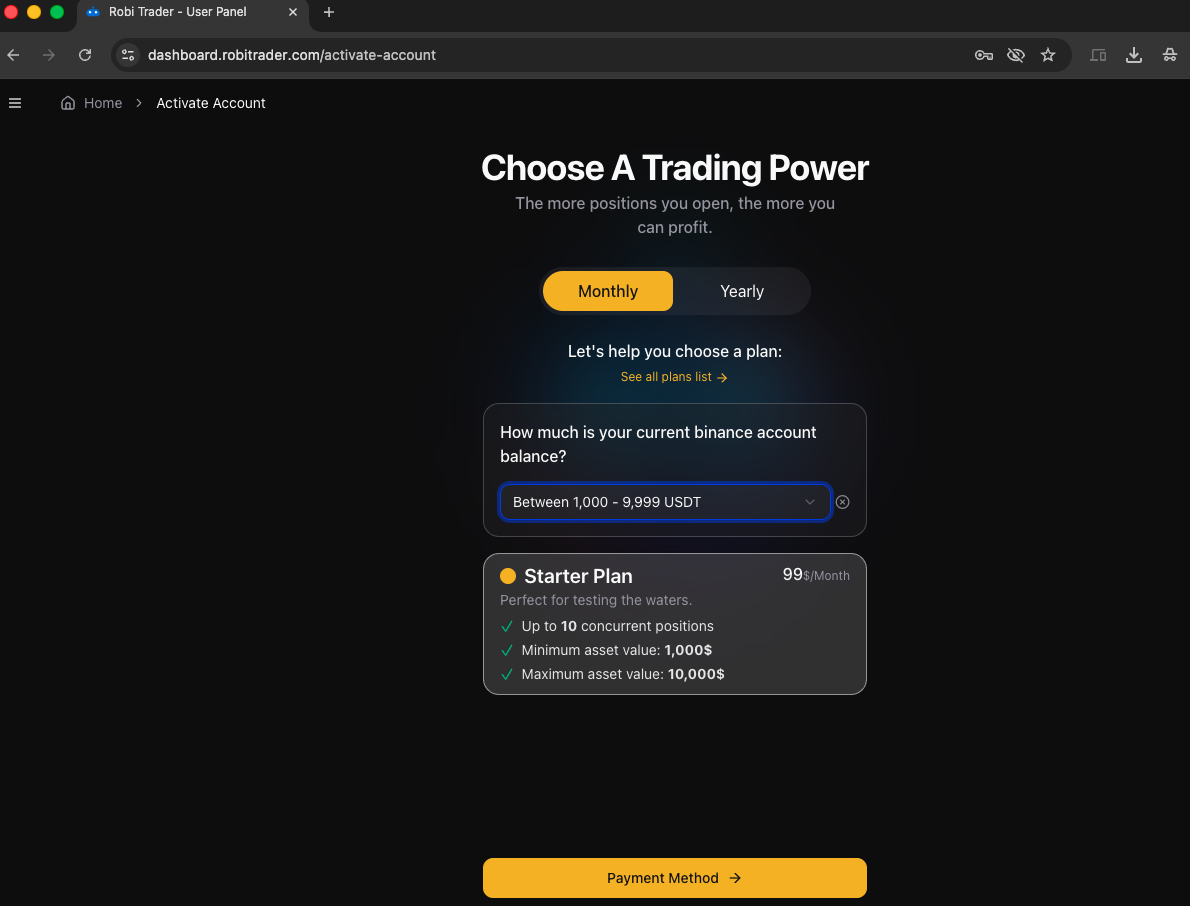
Next, select the subscription plan that suits your needs.
Each plan may offer different features or durations, so choose the one you prefer.
6. Make the Payment
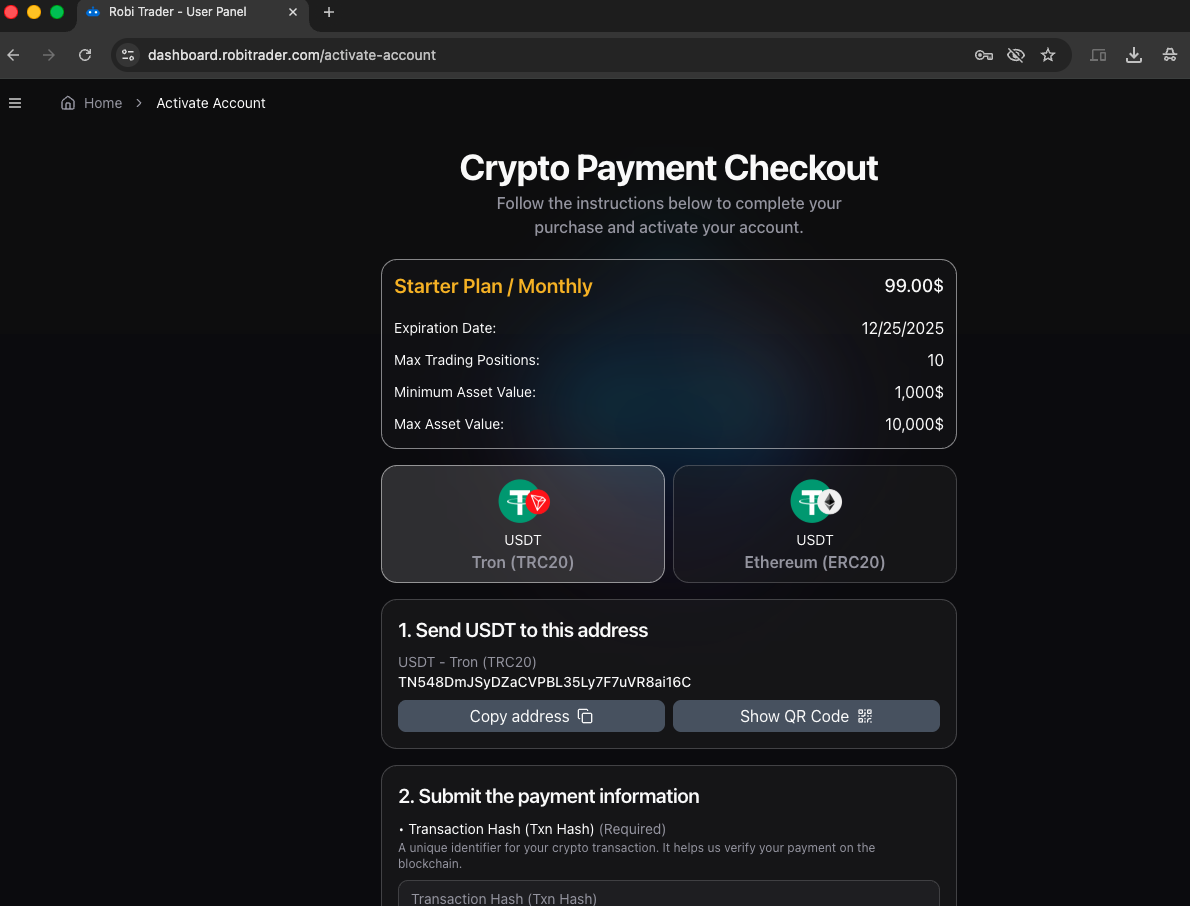
Go to the Payments section.
Select USDT (Tether) as your payment method.
Enter the required amount and complete the transfer.
7. Wait for Admin or bot Approval
After submitting the payment, wait for admin approval.
This step usually takes just a few minutes, sometimes even instantly.
8. Plan Activation
Once the payment is confirmed by the admin, your subscription plan will be activated, and you can start using the platform.